logo by @sawaratsuki1004
React
v19.2
Learn
Reference
Community
Blog

Is this page useful?

On this page

  • Overview
  • Browser extension
  • Safari and other browsers
  • Mobile (React Native)

    GET STARTED

  • Quick Start
    • Tutorial: Tic-Tac-Toe
    • Thinking in React
  • Installation
    • Creating a React App
    • Build a React App from Scratch
    • Add React to an Existing Project
  • Setup
    • Editor Setup
    • Using TypeScript
    • React Developer Tools
  • React Compiler
    • Introduction
    • Installation
    • Incremental Adoption
    • Debugging and Troubleshooting
  • LEARN REACT

  • Describing the UI
    • Your First Component
    • Importing and Exporting Components
    • Writing Markup with JSX
    • JavaScript in JSX with Curly Braces
    • Passing Props to a Component
    • Conditional Rendering
    • Rendering Lists
    • Keeping Components Pure
    • Your UI as a Tree
  • Adding Interactivity
    • Responding to Events
    • State: A Component's Memory
    • Render and Commit
    • State as a Snapshot
    • Queueing a Series of State Updates
    • Updating Objects in State
    • Updating Arrays in State
  • Managing State
    • Reacting to Input with State
    • Choosing the State Structure
    • Sharing State Between Components
    • Preserving and Resetting State
    • Extracting State Logic into a Reducer
    • Passing Data Deeply with Context
    • Scaling Up with Reducer and Context
  • Escape Hatches
    • Referencing Values with Refs
    • Manipulating the DOM with Refs
    • Synchronizing with Effects
    • You Might Not Need an Effect
    • Lifecycle of Reactive Effects
    • Separating Events from Effects
    • Removing Effect Dependencies
    • Reusing Logic with Custom Hooks
Learn React

React Developer Tools

Use React Developer Tools to inspect React components, edit props and state, and identify performance problems.

You will learn

  • How to install React Developer Tools

Browser extension

The easiest way to debug websites built with React is to install the React Developer Tools browser extension. It is available for several popular browsers:

  • Install for Chrome
  • Install for Firefox
  • Install for Edge

Now, if you visit a website built with React, you will see the Components and Profiler panels.
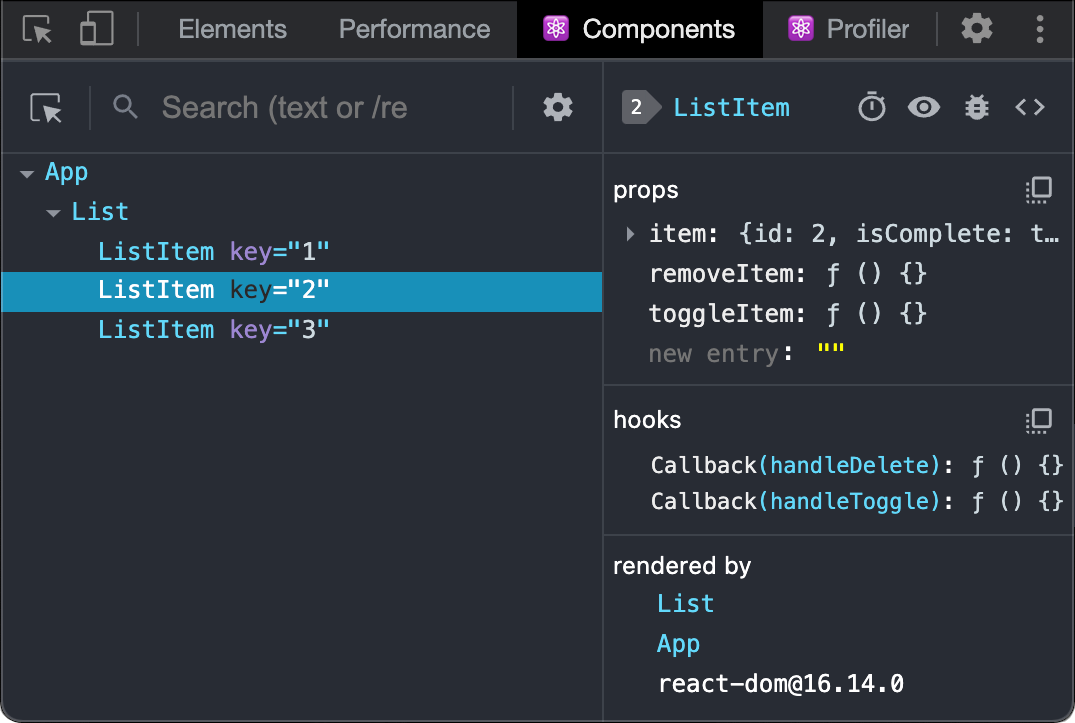
React Developer Tools extension

Safari and other browsers

For other browsers (for example, Safari), install the react-devtools npm package:

# Yarn yarn global add react-devtools # Npm npm install -g react-devtools

Next open the developer tools from the terminal:

react-devtools

Then connect your website by adding the following <script> tag to the beginning of your website’s <head>:

<html> <head> <script src="http://localhost:8097"></script>

Reload your website in the browser now to view it in developer tools.
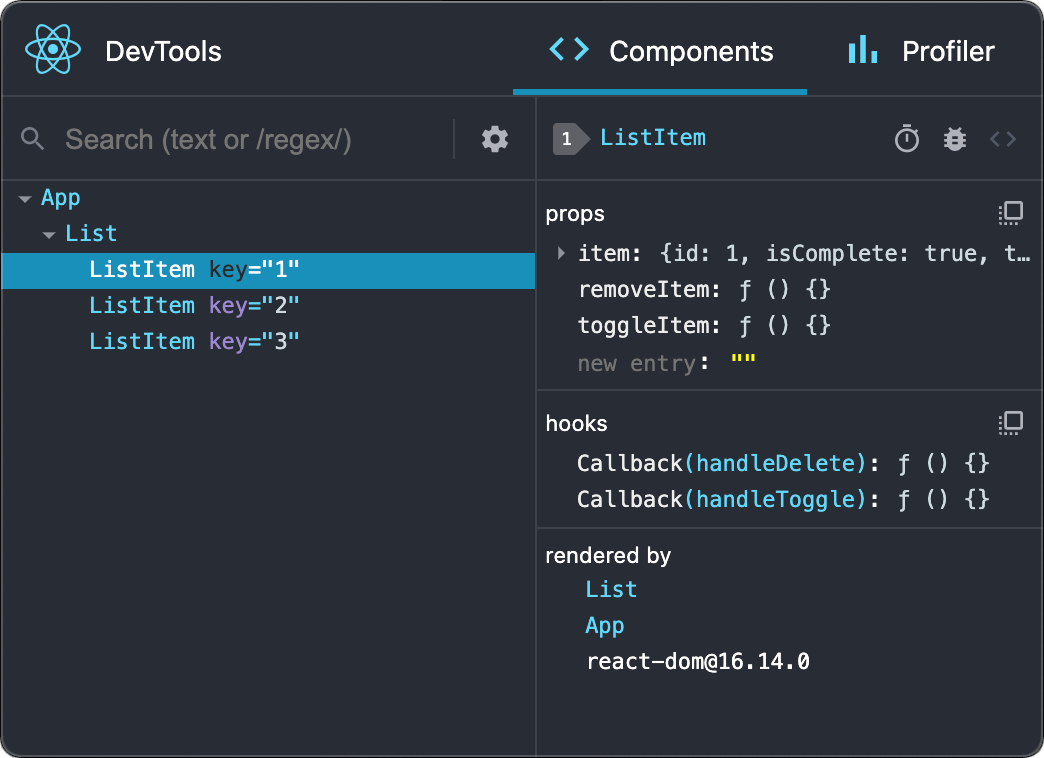
React Developer Tools standalone

Mobile (React Native)

To inspect apps built with React Native, you can use React Native DevTools, the built-in debugger that deeply integrates React Developer Tools. All features work identically to the browser extension, including native element highlighting and selection.

Learn more about debugging in React Native.

For versions of React Native earlier than 0.76, please use the standalone build of React DevTools by following the Safari and other browsers guide above.


Copyright © Meta Platforms, Inc
no uwu plz
uwu?
Logo by@sawaratsuki1004
Learn React
Quick Start
Installation
Describing the UI
Adding Interactivity
Managing State
Escape Hatches
API Reference
React APIs
React DOM APIs
Community
Code of Conduct
Meet the Team
Docs Contributors
Acknowledgements
More
Blog
React Native
Privacy
Terms
# Yarn
yarn global add react-devtools

# Npm
npm install -g react-devtools
react-devtools
<html>
<head>
<script src="http://localhost:8097"></script>